From sign-in to shortlist, in about ten minutes.
This is what hiring on Kaya looks like, screen by screen, on a phone. Free for one open job and unlimited applicants; no card needed to start.
- 1
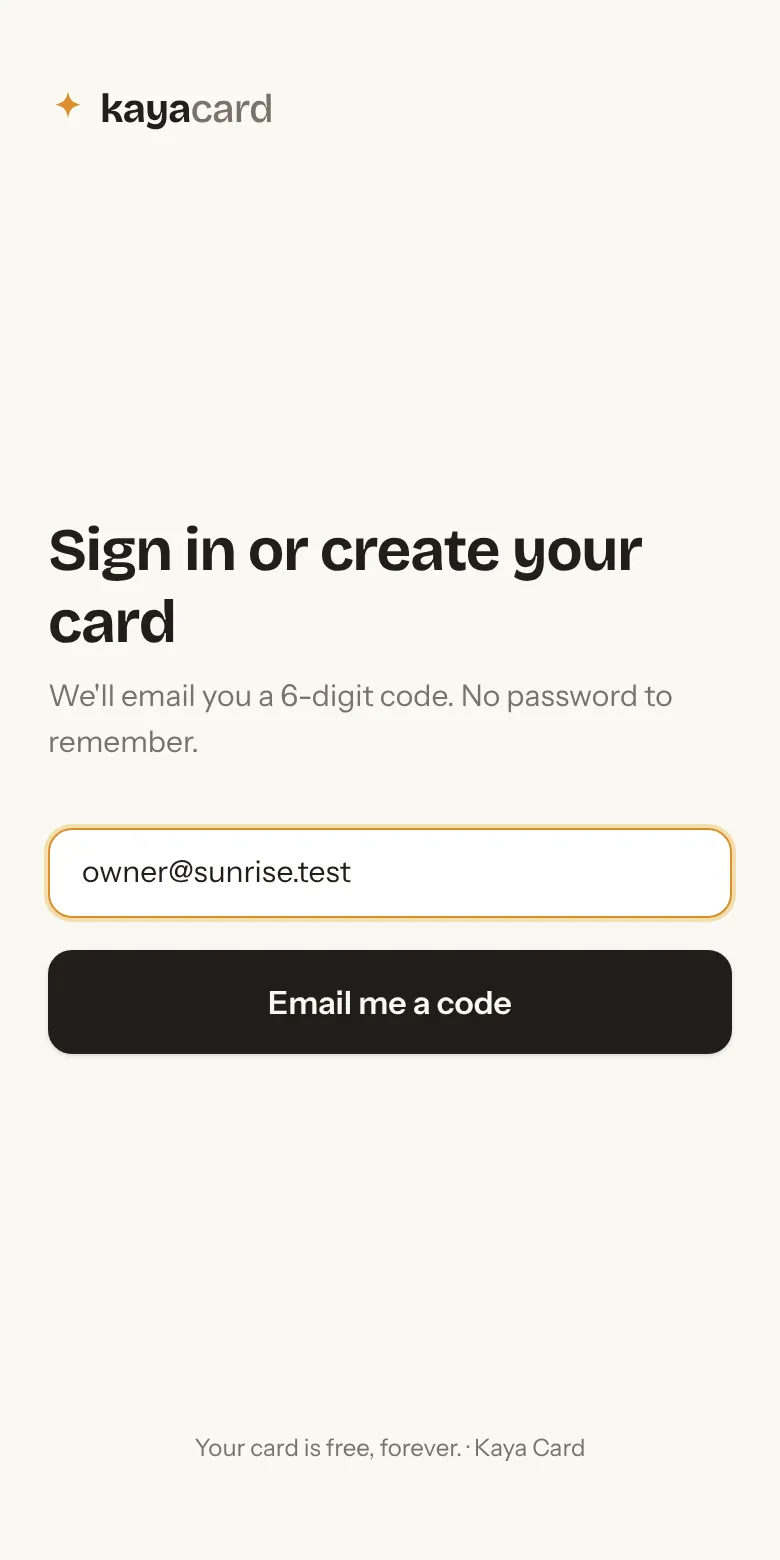
Sign in with your email
No password. Type your email, we send a six-digit code, you're in. Takes thirty seconds and works the same on a phone.
- 2
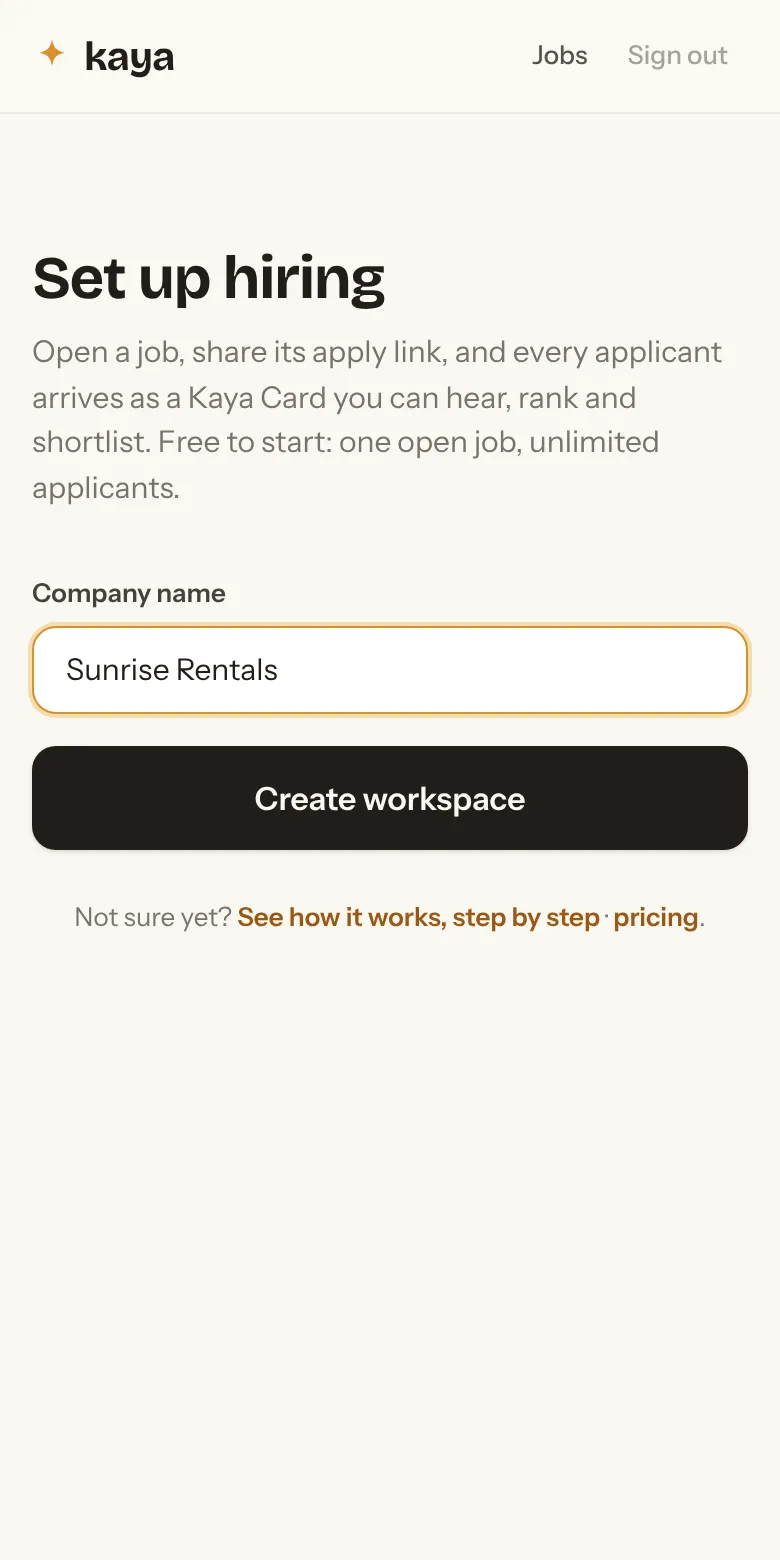
Name your company
That's the whole setup. Your workspace is where your jobs, applicants and team live.
- 3
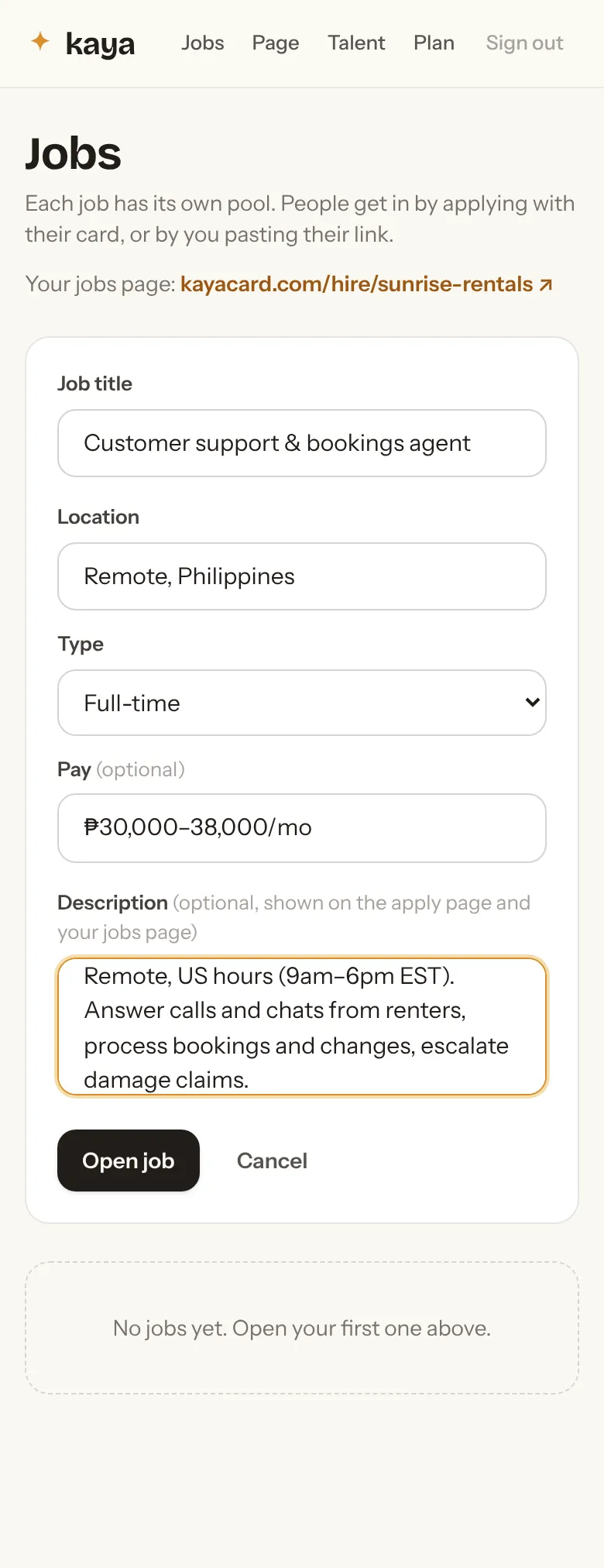
Open a job
A title, where it is, full-time or part-time, pay if you want to say, and a few lines about the work. Applicants see exactly this.
- 4
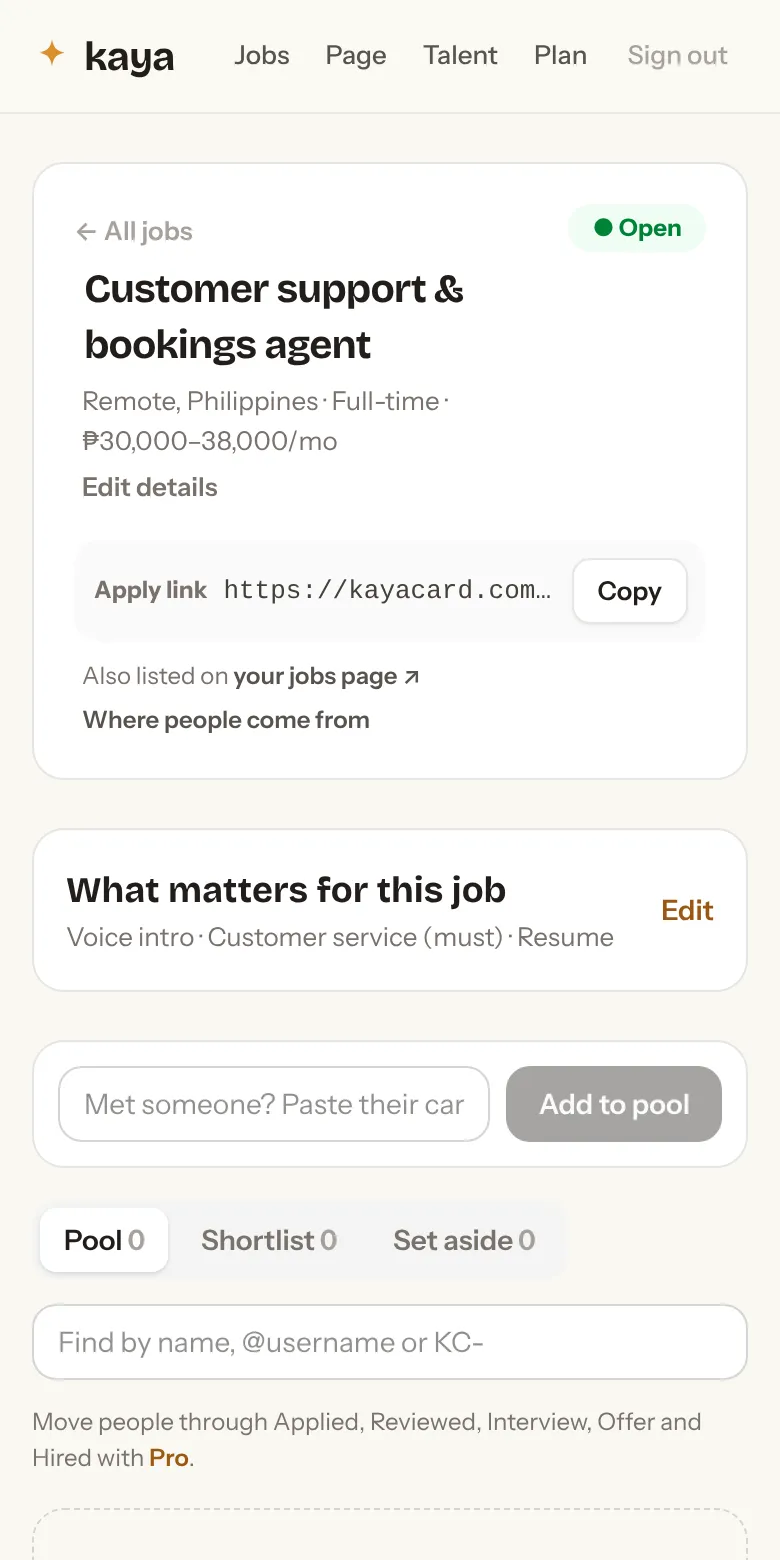
Get your apply link
Every job has one link. Put it in your OnlineJobs post, your Facebook group post, your email. Tap the words that describe what matters to you (must have, nice to have) and the pool will sort itself by them.
You also get a jobs page under your name that lists every open job. More on that below.
- 5
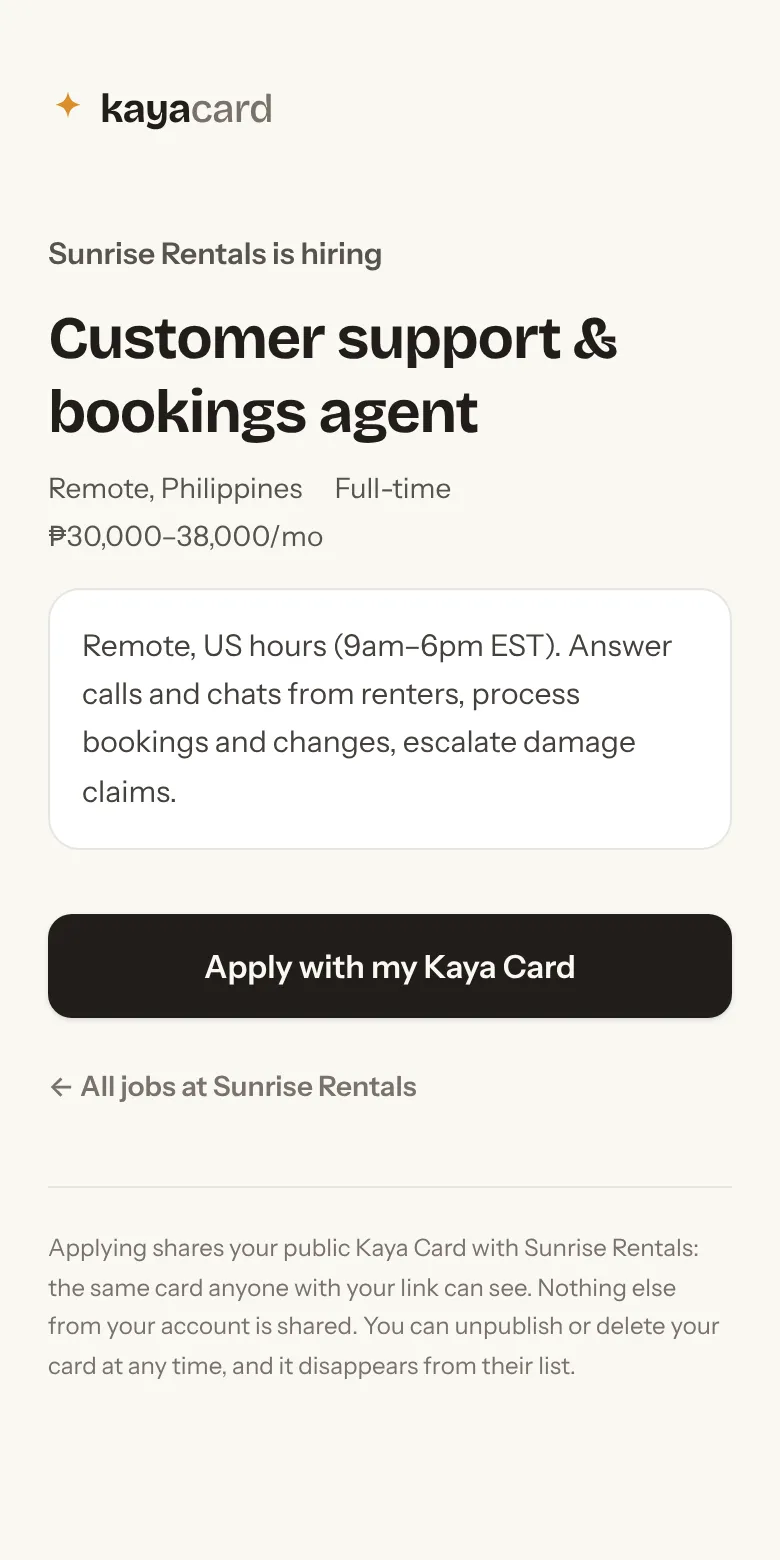
What the applicant sees
They tap your link and apply with their Kaya Card: a photo, their skills, a resume and a 60-second voice intro. If they don't have a card yet, they make one in about two minutes, free, and come straight back to your job. No forms for you to build.
- 6
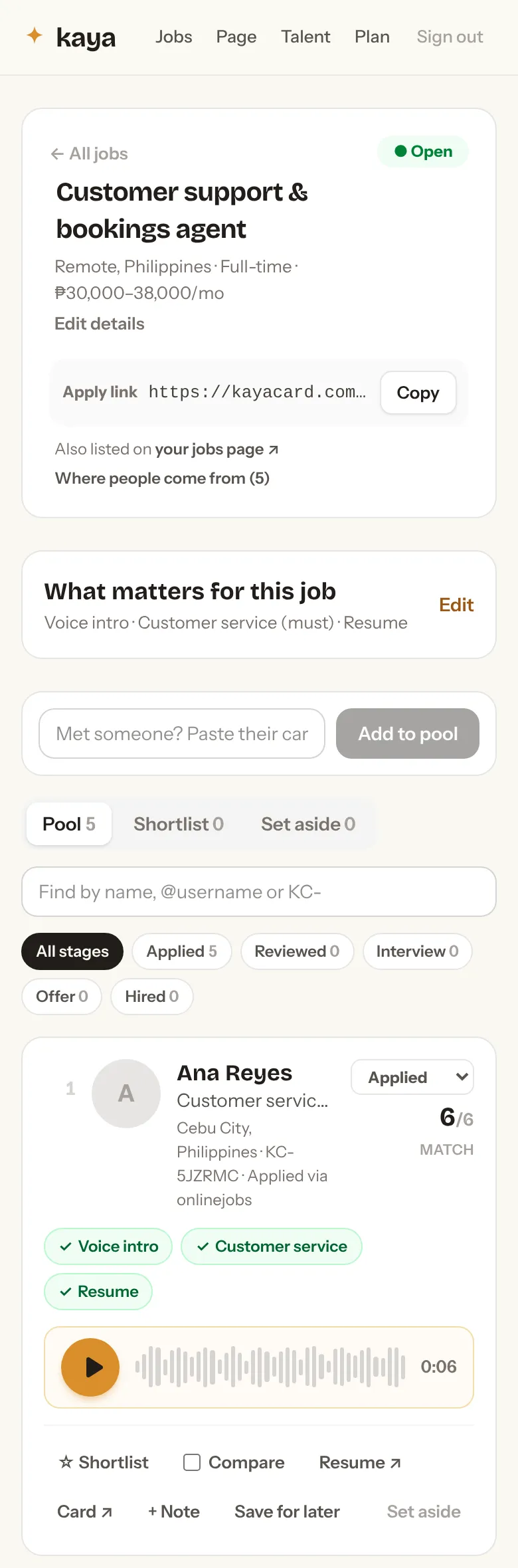
Hear everyone, ranked by what you said matters
Each applicant arrives as a row: name, headline, which of your must-haves they have, and a play button. Press it. Thirty seconds of someone's voice tells you more than a page of resume. Anyone missing a must-have sorts below everyone who has it.
Most people who see a job post never make a card. The ones who do are the ones who wanted it. That is your first screen, and it costs nothing.
- 7
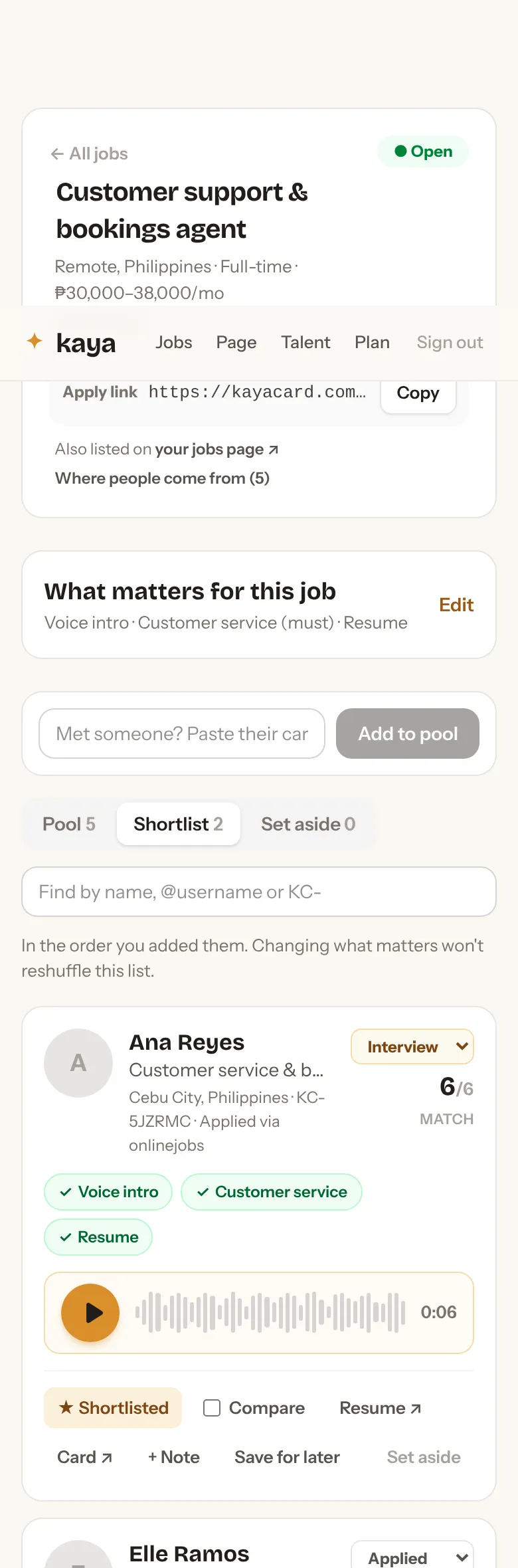
Shortlist the ones worth a call
Star anyone you want to talk to. Set aside anyone you don't. Add a private note only your team can see. Changing what matters re-sorts the pool but never reshuffles your shortlist.
- 8
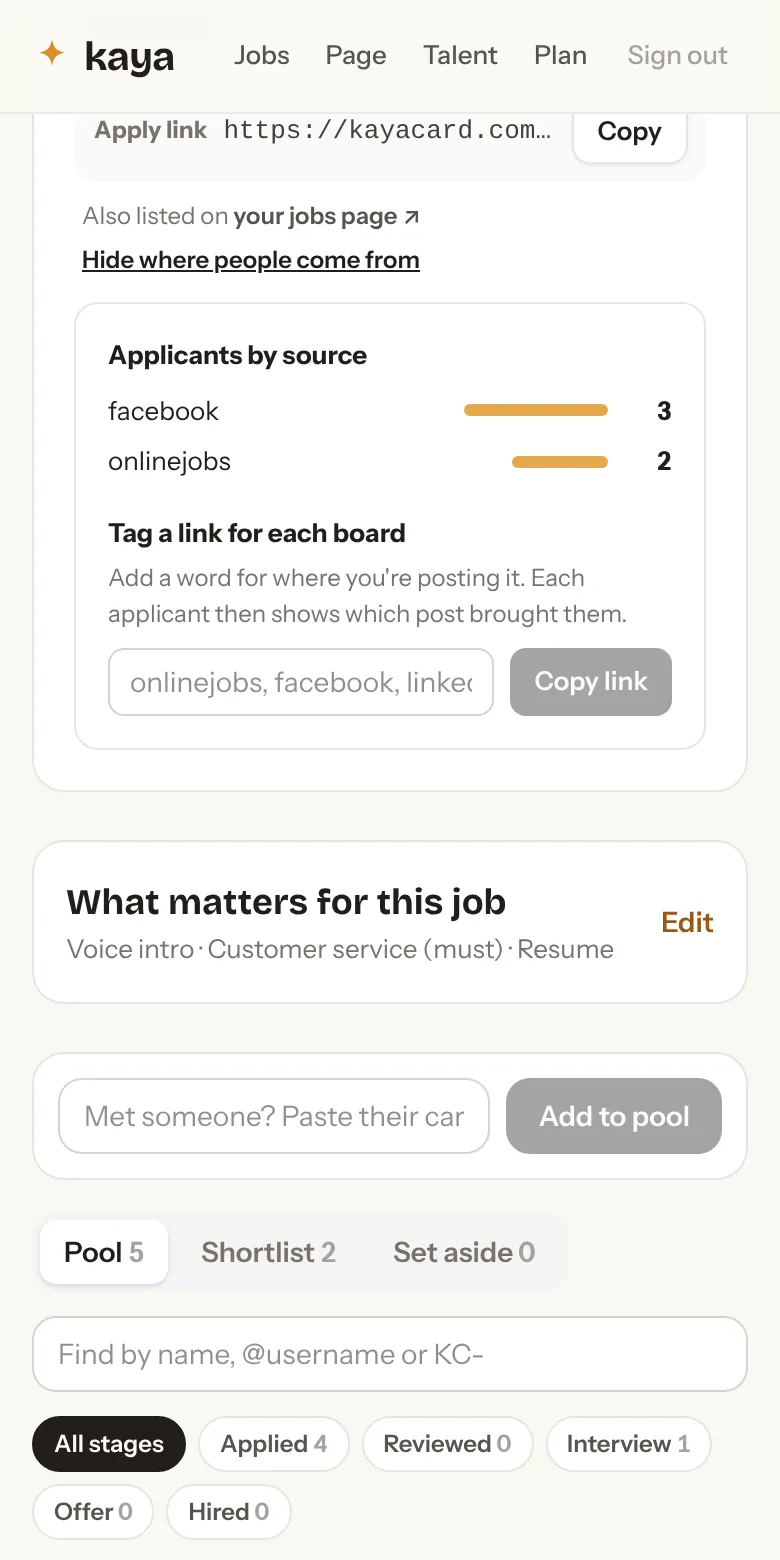
See which job board actually works
Tag the link for each place you post it (onlinejobs, facebook, your site) and the job page shows where every applicant came from. Stop paying for boards that send nobody.
- 9Pro
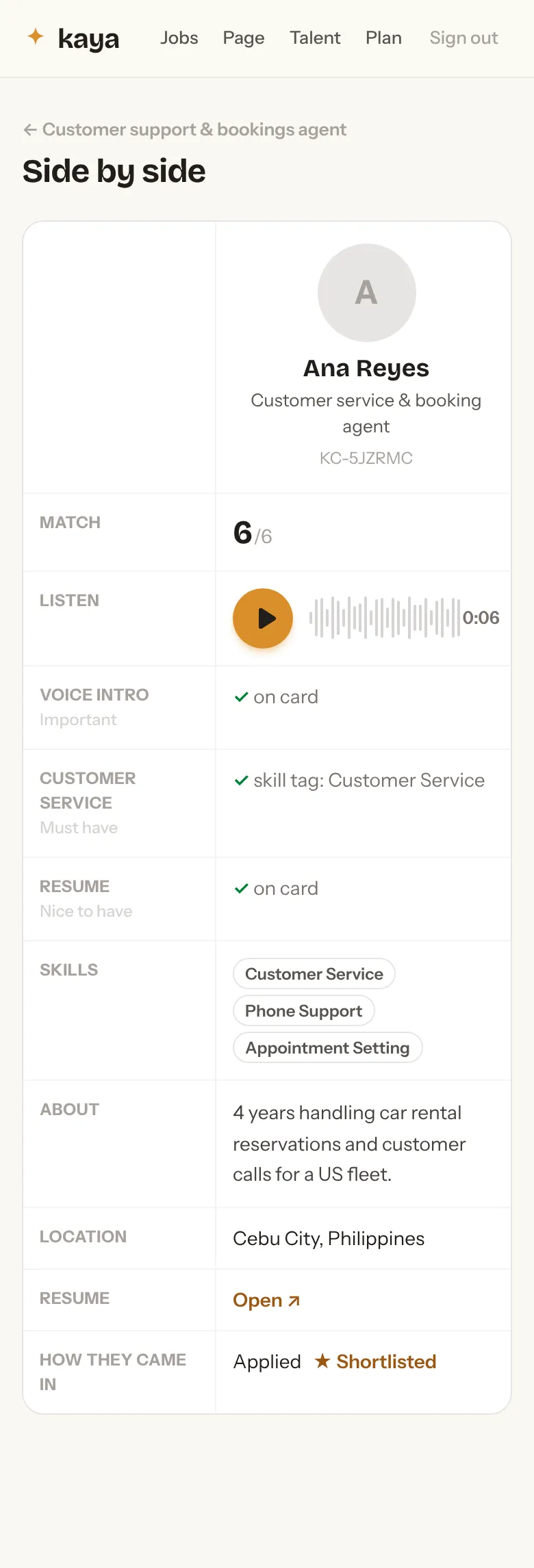
Compare side by side
Pick two to four people and see them next to each other, voices and all. Good for the final call, or for showing a partner.
- 10
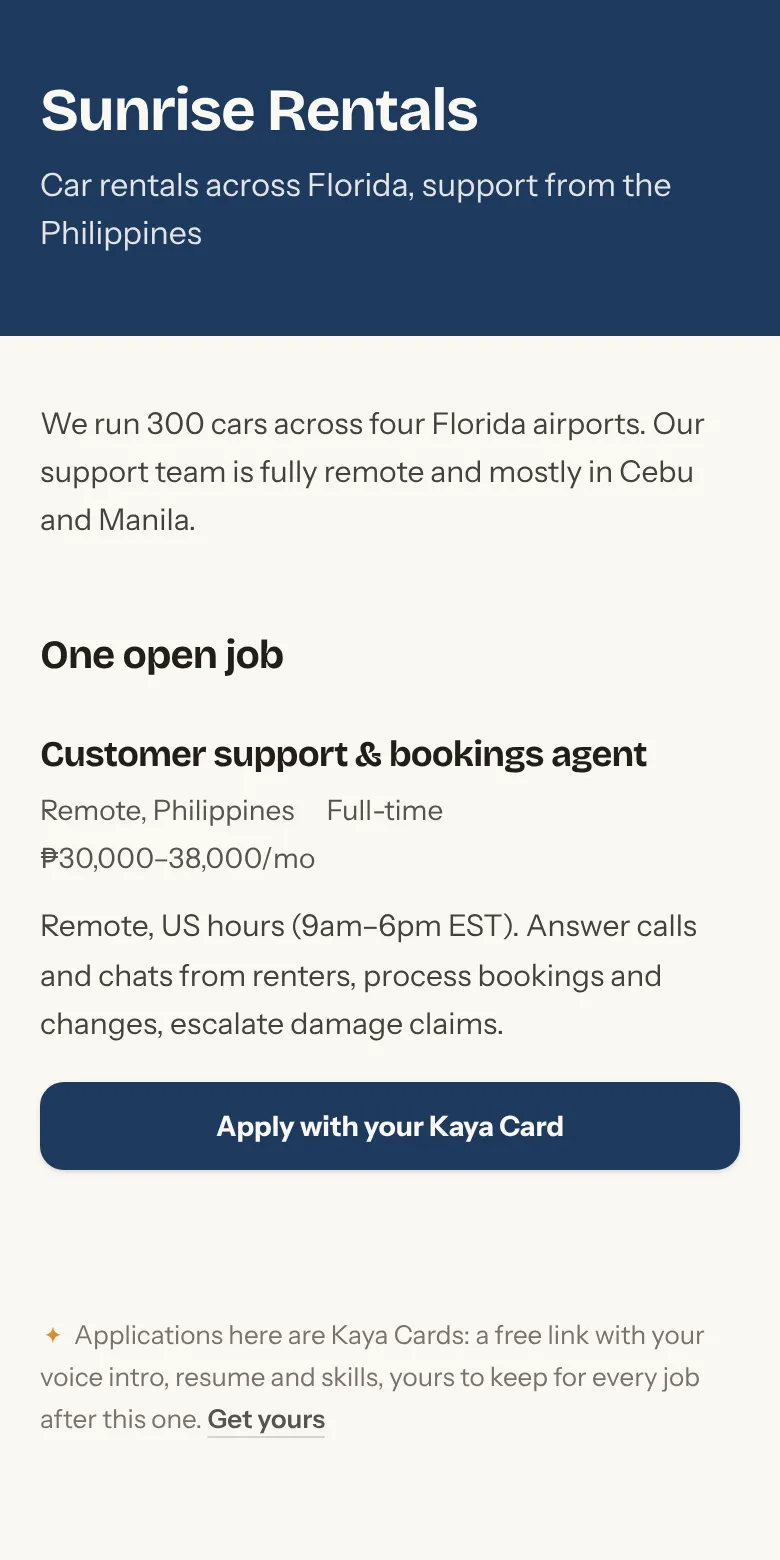
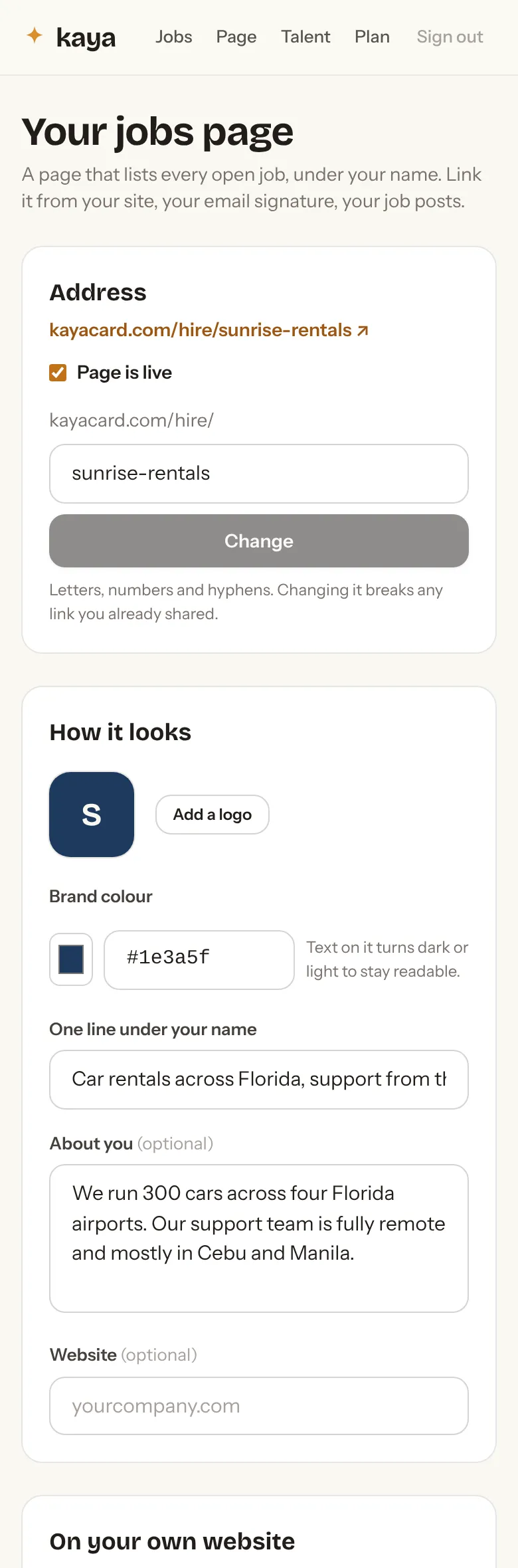
Your own jobs page
Every open job, on one page, in your colour with your logo. Link it from your website or your email signature. On Pro you can put the list on your own site with one line of code, or serve it at jobs.yourcompany.com.
- 11Pro
Move people through to hire
Applied, Reviewed, Interview, Offer, Hired. One dropdown per person. Save anyone you liked but couldn't hire this time, and add them to your next job in one tap.
That’s it.
One open job is free, for as long as you like. Pro is $49 a seat a month for unlimited jobs, compare, stages, teammates, and your jobs on your own site. Cancel any time.
The company and applicants in these screens are examples, not real people.